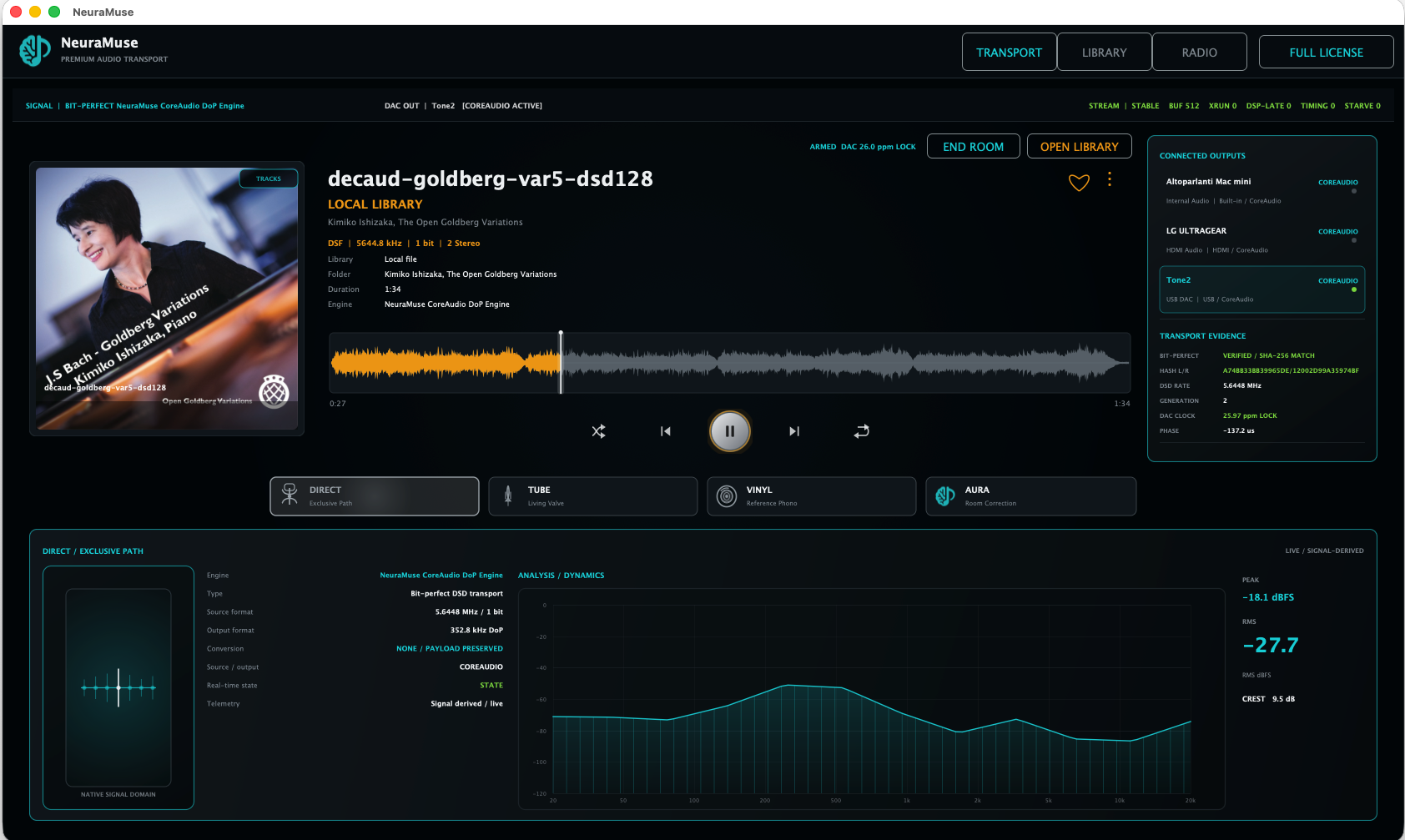
Bit-perfect reference path with explicit transport state.
NeuraMuse · Audio transport for Windows & macOS
Your music.
Your DAC.
Four ways to hear it.
Play PCM and DSD through your own system. Stay on the reference path in DIRECT, switch to TUBE, VINYL or AURA when you want a different presentation, and LINK Windows, macOS and iPad when you want the same programme in another room.
PCM + DSD
DIRECT · TUBE · VINYL · AURA
Windows · macOS · iPad LINK
Windows 10/11 x64 · Apple Silicon macOS · ASIO on Windows · CoreAudio on macOS
Supported DIRECT paths verify the preserved channel payload at track end.
Either desktop platform can lead; the other can join and render locally.
Control a Master or join the LINK room as a synchronized endpoint.
See NeuraMuse in action
Playback, DSP, Library, Radio, LINK and iPad control — in one real workflow.
A short screen-captured walkthrough of the current NeuraMuse desktop and iPad experience. Desktop playback stays on macOS or Windows; iPad acts as the remote and LINK control surface.
REAL SCREEN CAPTURE · CURRENT BUILD
The macOS desktop build is shown for the desktop portions of this walkthrough. Windows is also supported and LINK roles are reversible. This video demonstrates the product workflow and interface; it is not intended as an audio-quality comparison.
What NeuraMuse is
One player. One library. A reference path when you want truth — other paths when you want a choice.
NeuraMuse keeps source format, output device, listening path, room role and live transport state in one workspace instead of splitting them across separate tools.
PLAYBACK
PCM and DSD through the DAC you already own.
WAV, FLAC, MP3, DSF and DFF playback with the active source and output state visible while music is playing.
LISTENING
DIRECT, TUBE, VINYL and AURA without leaving the transport.
Start from the reference path, add analogue modelling when desired, or engage measurement-driven room correction.
ROOMS
LINK Windows, macOS and iPad around the same programme.
Each endpoint renders through its own local audio device while sharing the room state and programme.
Proof before promises
See what reaches the transport. Then see what reaches the DAC.
The site uses actual NeuraMuse sessions and actual DAC displays. The examples below show DSD128, end-of-track SHA-256 verification and cross-platform LINK operation.
01 · FORMAT
DSD128 reaches the DAC as DSD.
The transport reports 5.6448 MHz DSD and the external DAC independently reports 5.64 DSD.
REAL HARDWARE · 5.64 DSD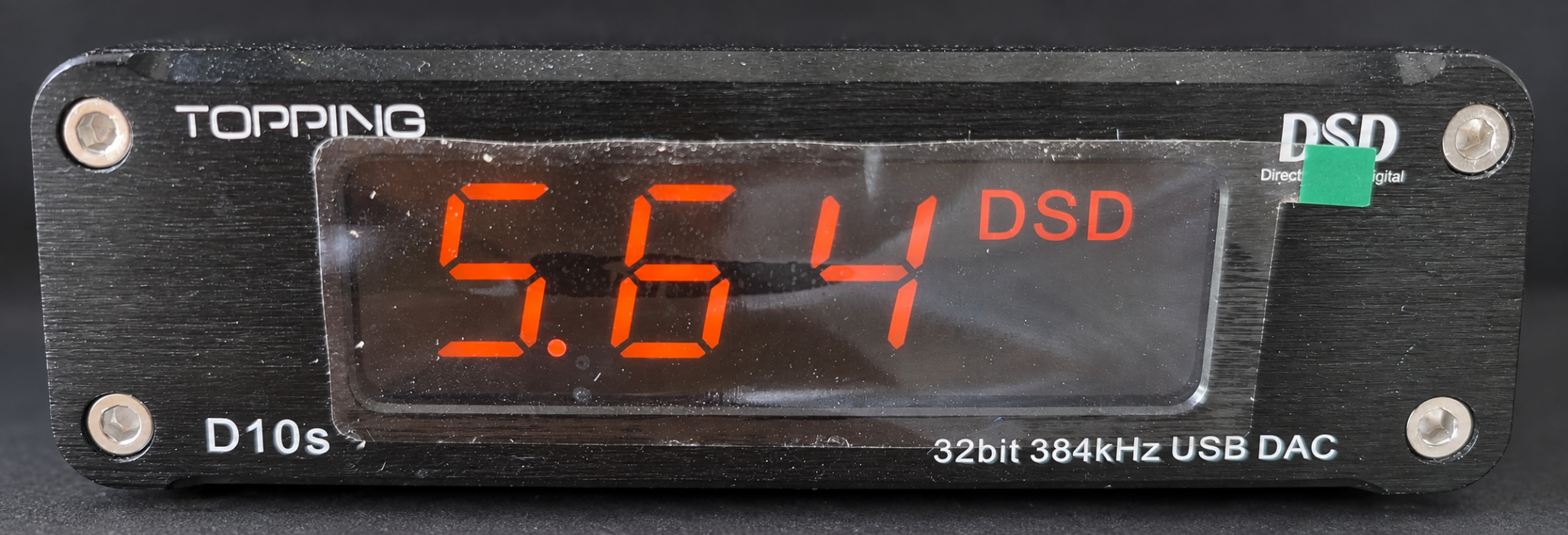
02 · PAYLOAD
DIRECT ends with SHA-256 MATCH.
Supported DIRECT paths compare the preserved left/right channel payload with the reference payload at track completion.
VERIFIED · SHA-256 MATCH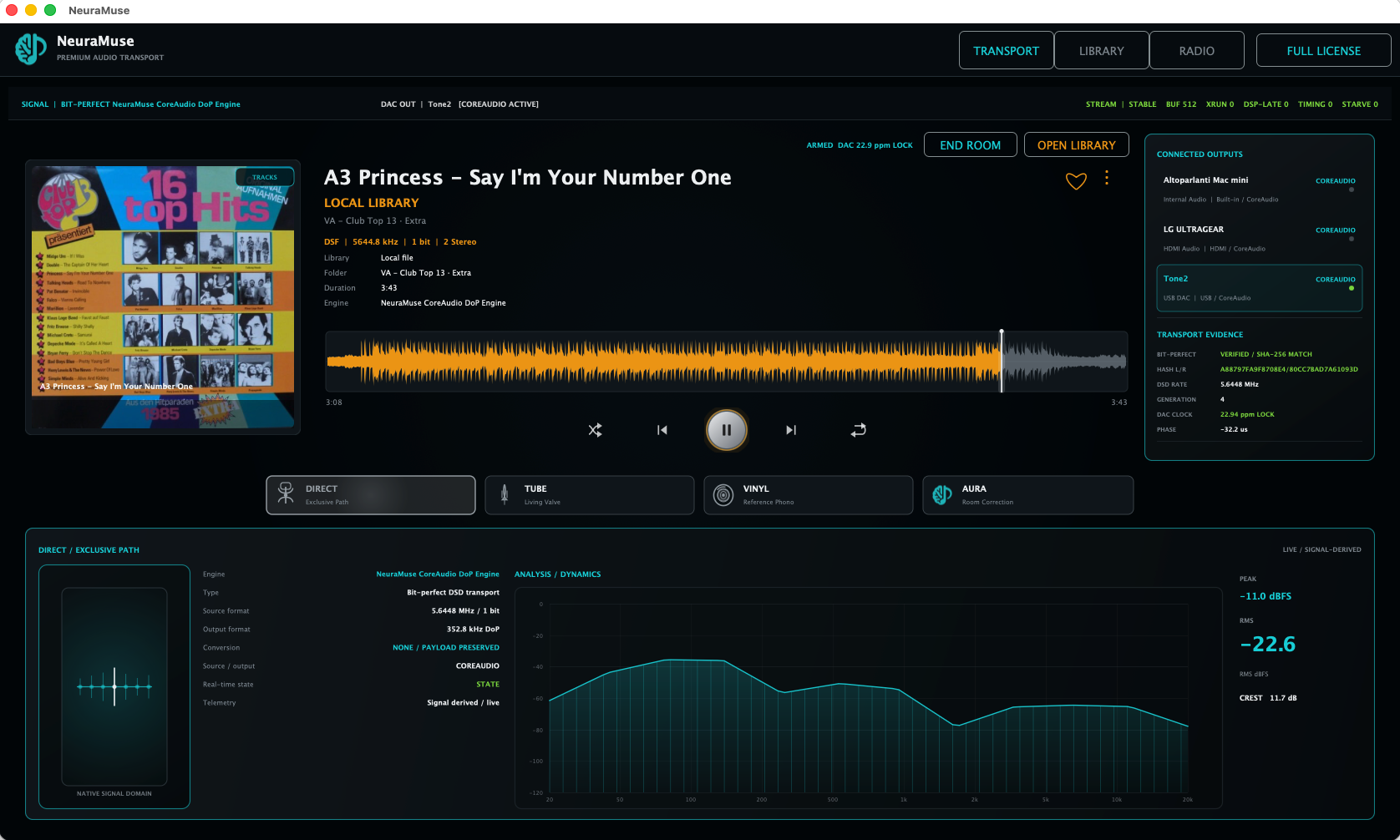
03 · LINK
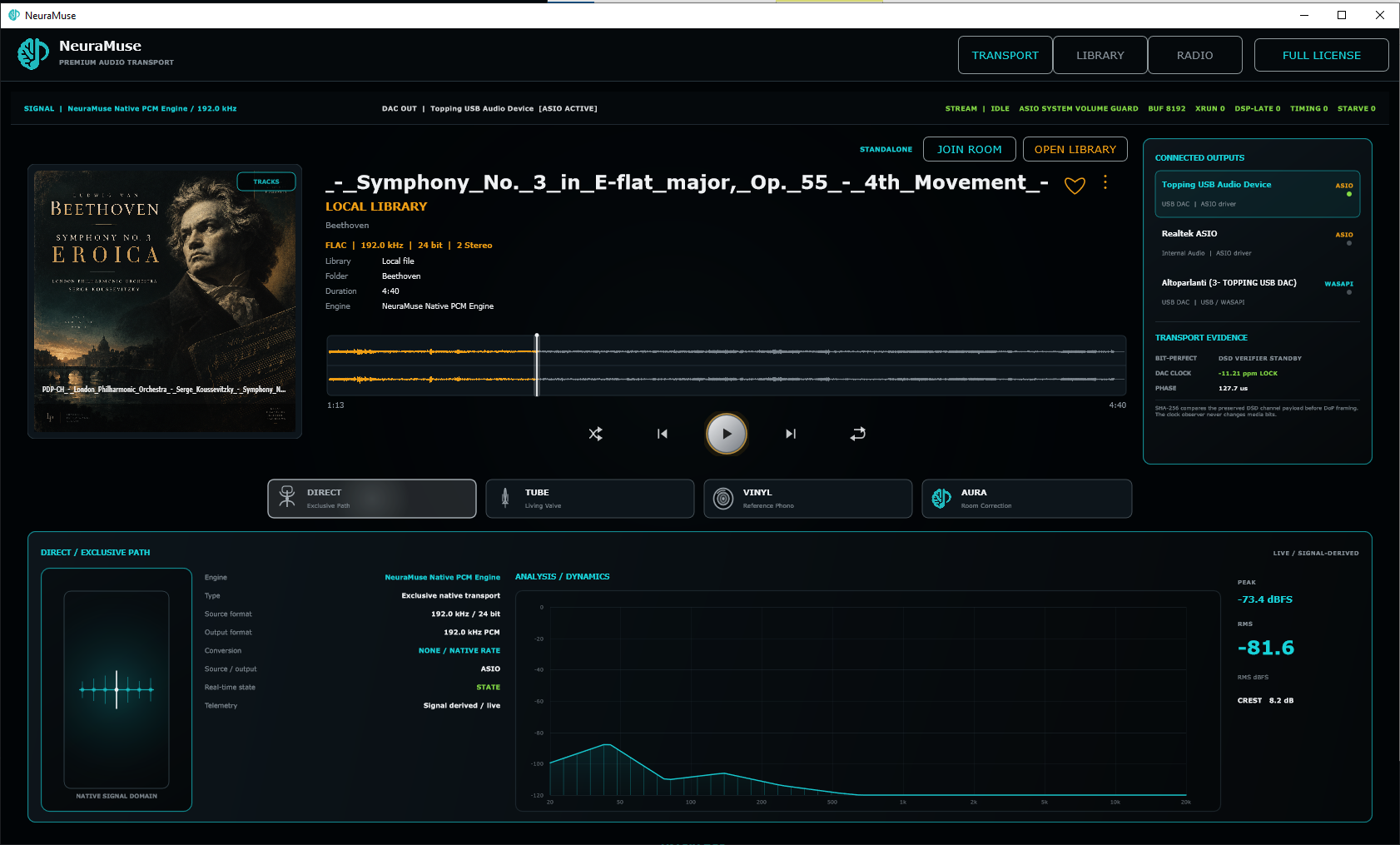
The same track on Mac and Windows.
Shown here: macOS is the Master and Windows is joined. LINK roles are reversible; Windows can lead and macOS can join.
MASTER ↔ JOINEDChoose the path
Reference when you want it. Character when you choose it.
All four listening paths live in the same player. DIRECT remains the reference; TUBE, VINYL and AURA are explicit choices rather than hidden “enhancement” switches.
DIRECT · REFERENCE
Hear the source through the reference path.
Use DIRECT for critical listening, native-rate playback, format confirmation and comparison with the processed modes.
Explore DIRECT →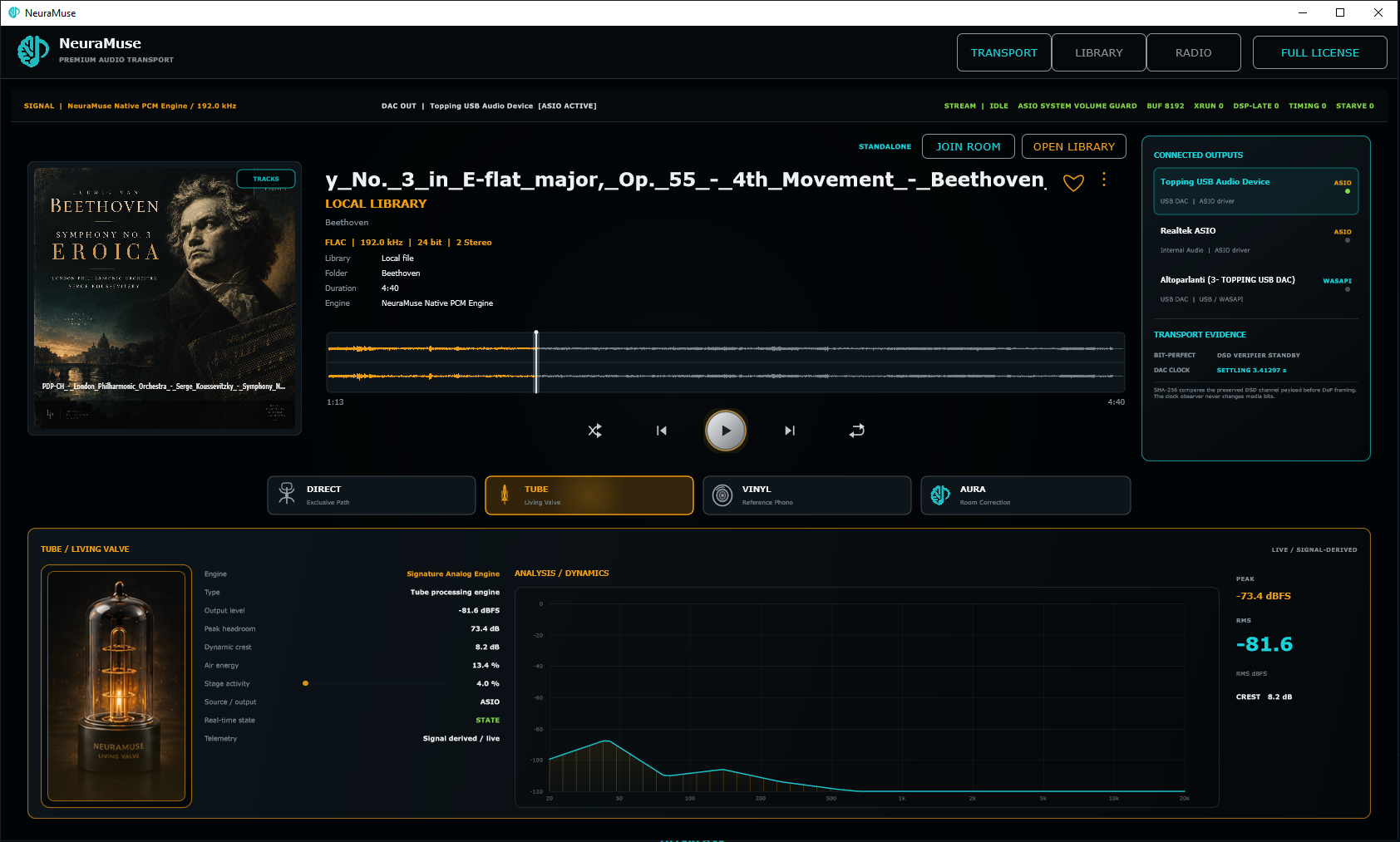
TUBE · LIVING VALVE
Dynamic valve character that follows the programme.
A level- and transient-sensitive valve-inspired model rather than a fixed warm EQ curve.
Explore TUBE →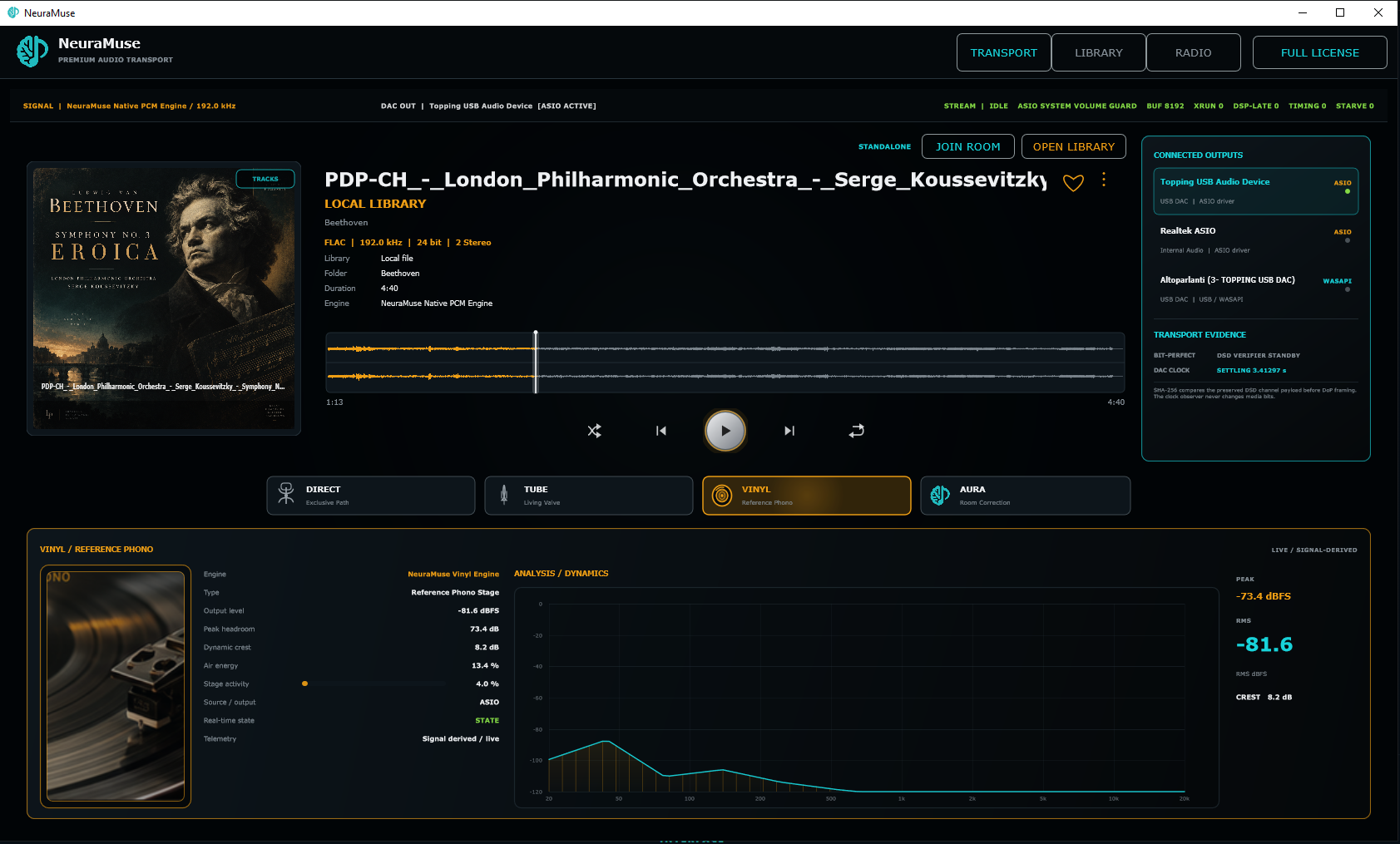
VINYL · REFERENCE PHONO
A modelled phono playback chain, not a crackle effect.
Mechanical and electrical behaviours form a dedicated path with its own live state and response.
Explore VINYL →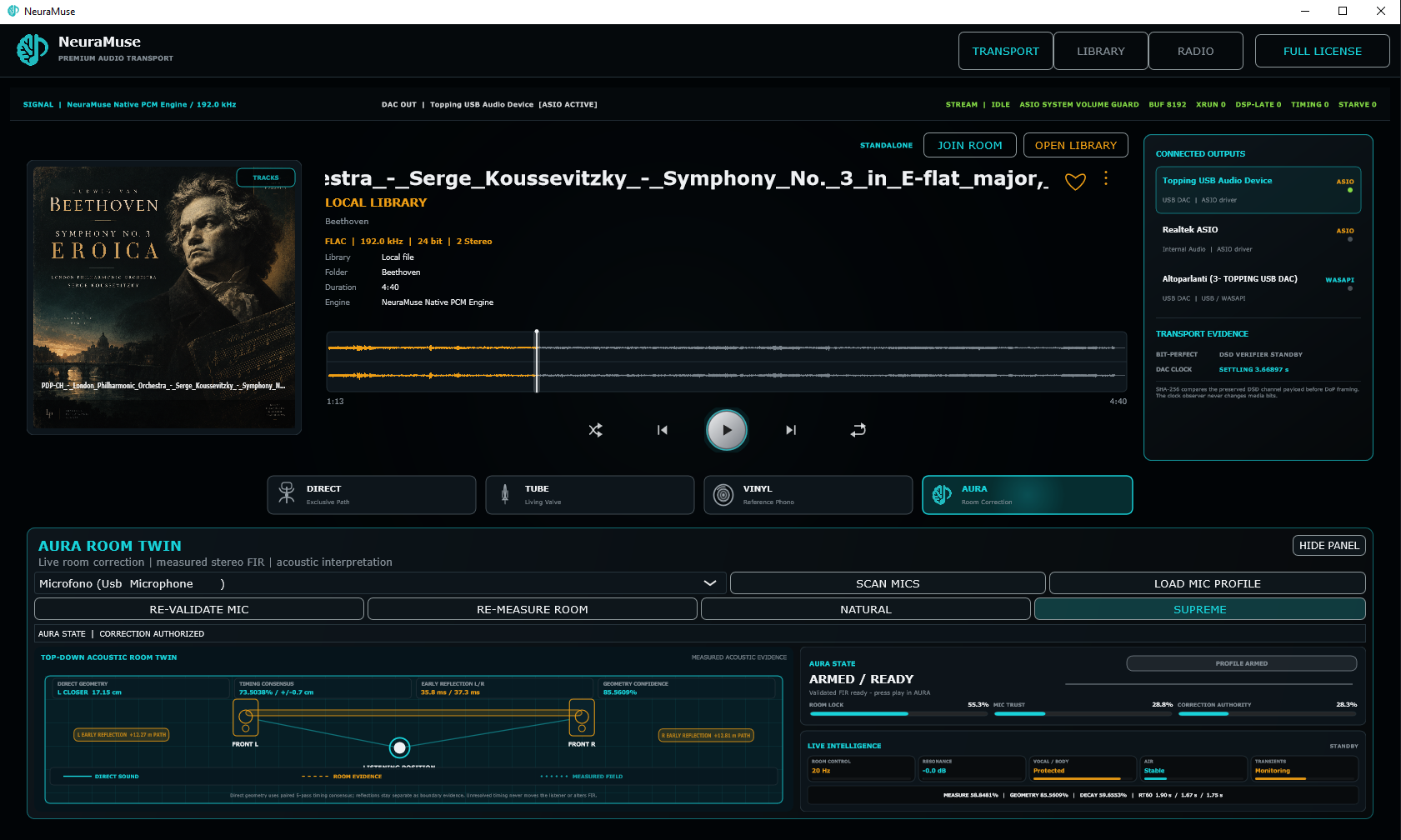
AURA · ROOM INTELLIGENCE
Measure the room, then correct it.
Microphone validation, room measurement and FIR correction combine in a dedicated room-aware playback path.
Explore AURA →NeuraMuse LINK
One programme. Multiple rooms. Either desktop platform can lead.
A Mac can host the room while Windows joins, or Windows can be the Master while macOS joins as the endpoint. Every system still renders locally through its selected audio device.
MASTER SYSTEMmacOS · END ROOM
↔LINKSYNCED PROGRAMME
JOINED ENDPOINTWindows · LEAVE ROOM
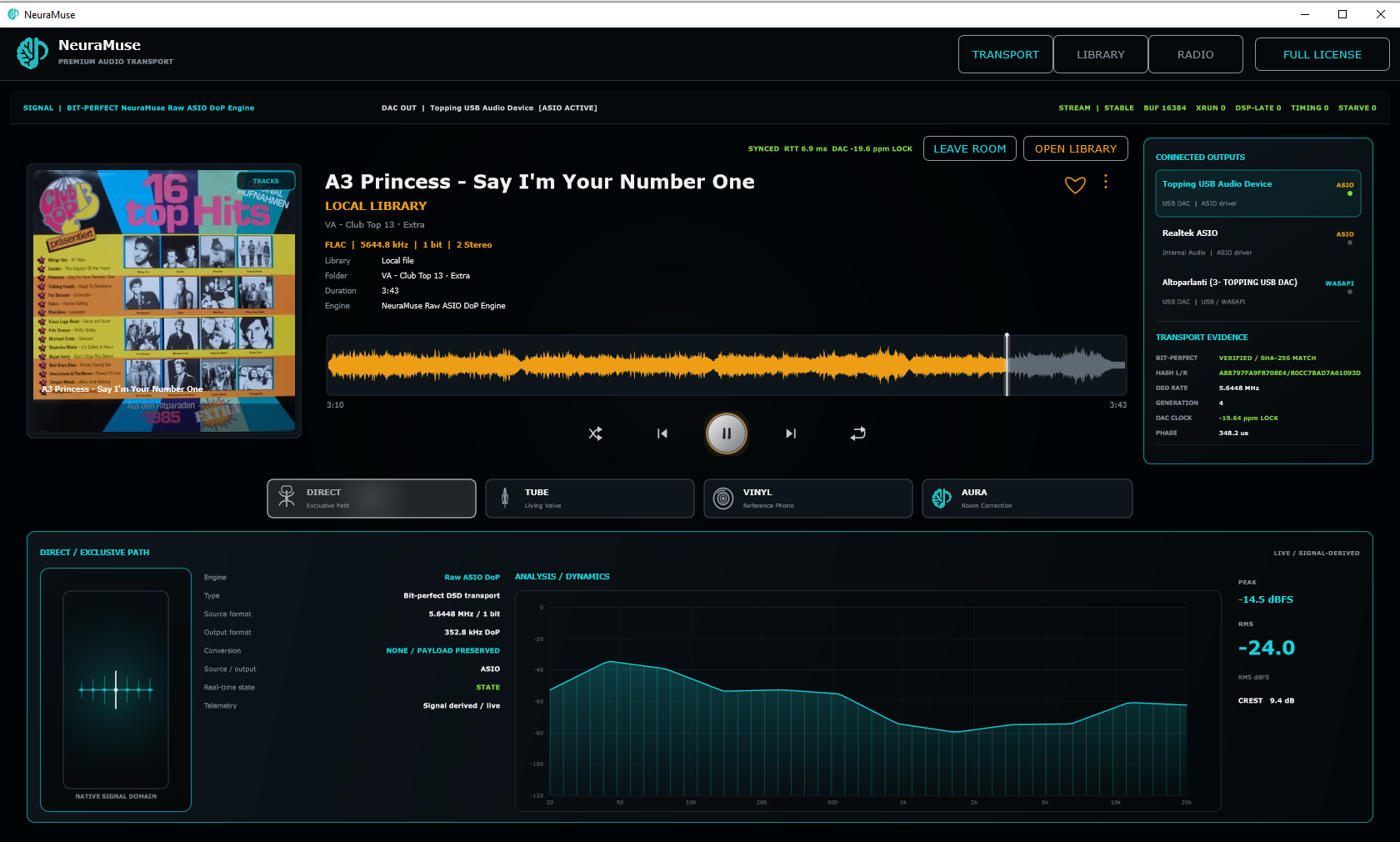
Windows ↔ macOS. The screenshots show one direction; the roles can be swapped.
Each endpoint keeps its own selected output device and native platform audio path.
A joined endpoint can output DSD when its DAC, driver and path support the requested rate.
Beyond the signal path
The things you use every day are still one click away.
Library, Internet Radio, waveform, source format, active engine, output device, room state and live transport telemetry share the same workspace.
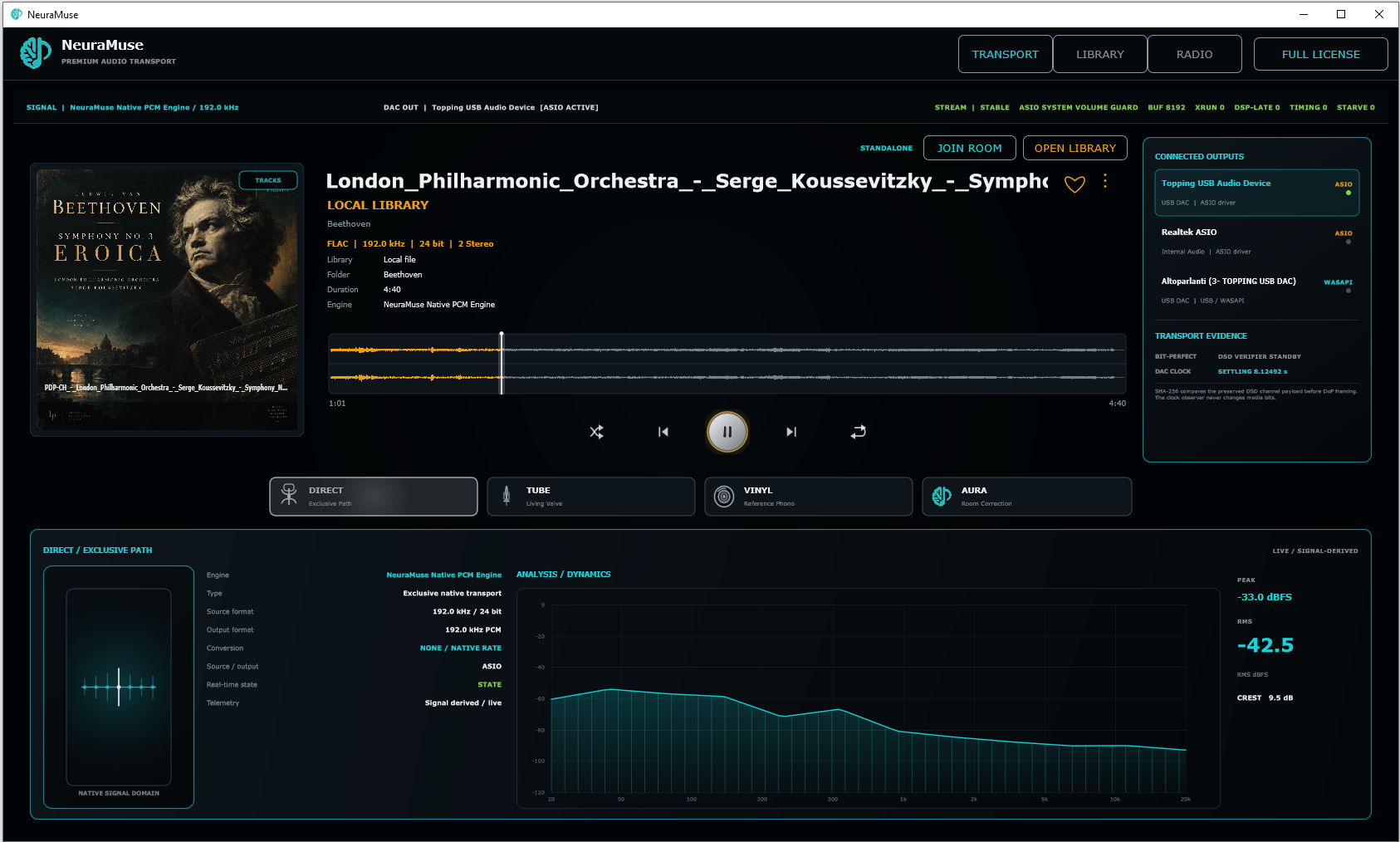
TRANSPORT
One view for the playback chain.
Track information, waveform, format, engine, DAC/output and transport evidence remain visible around the music.
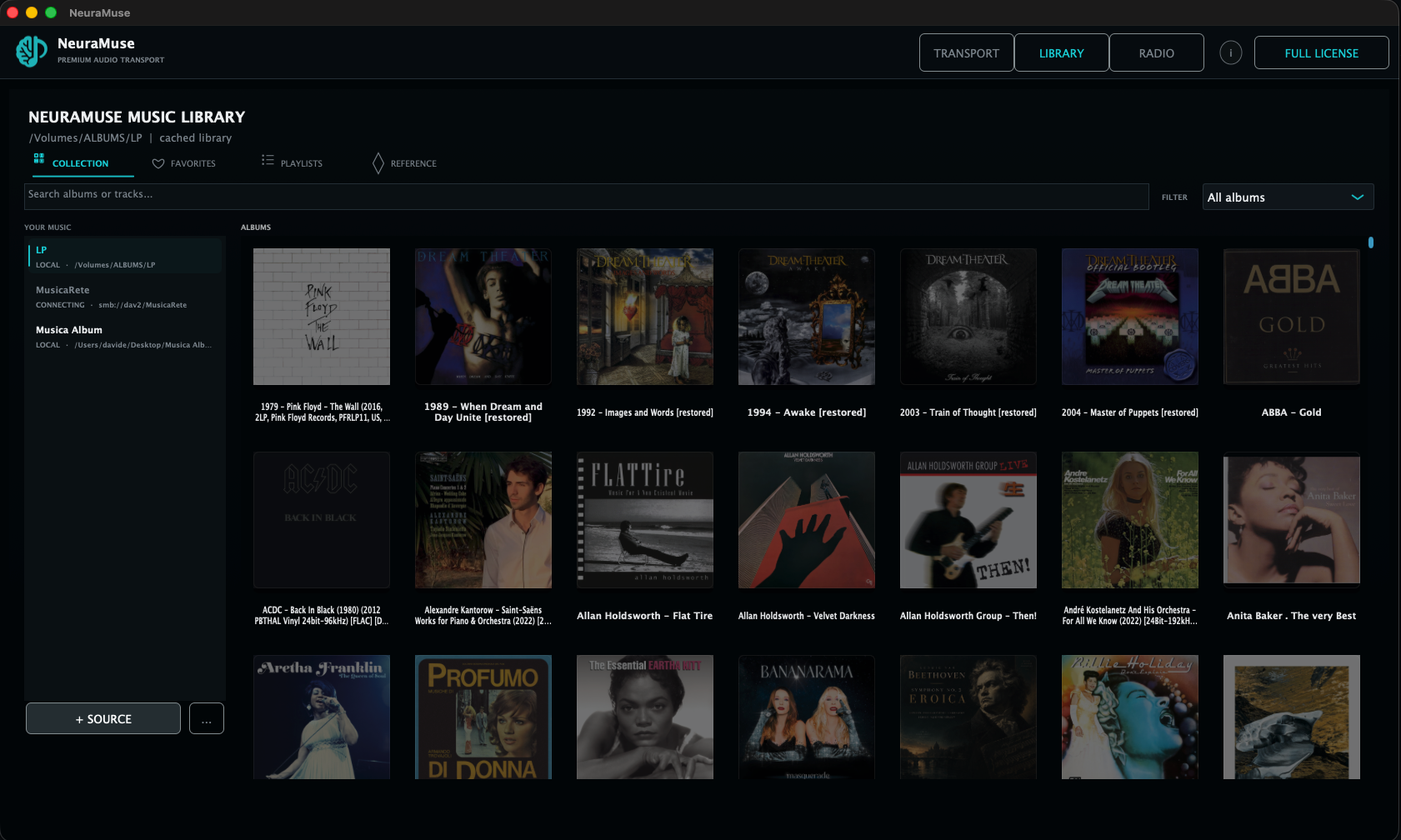
LIBRARY
Your collection inside NeuraMuse.
Browse albums and tracks without losing transport context.
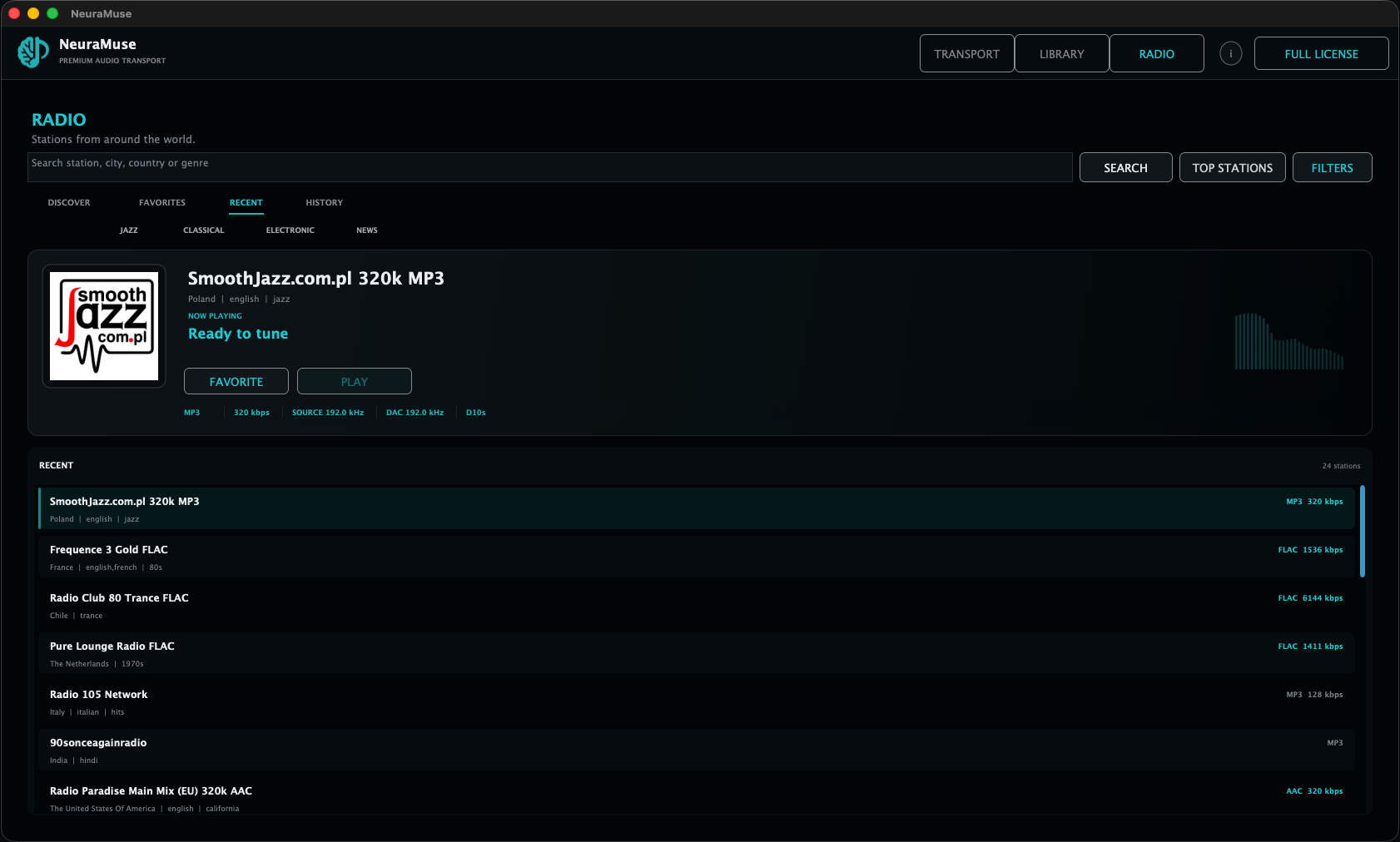
INTERNET RADIO
Radio joins the same transport.
Internet Radio sits beside the local library and can also become a LINK source.
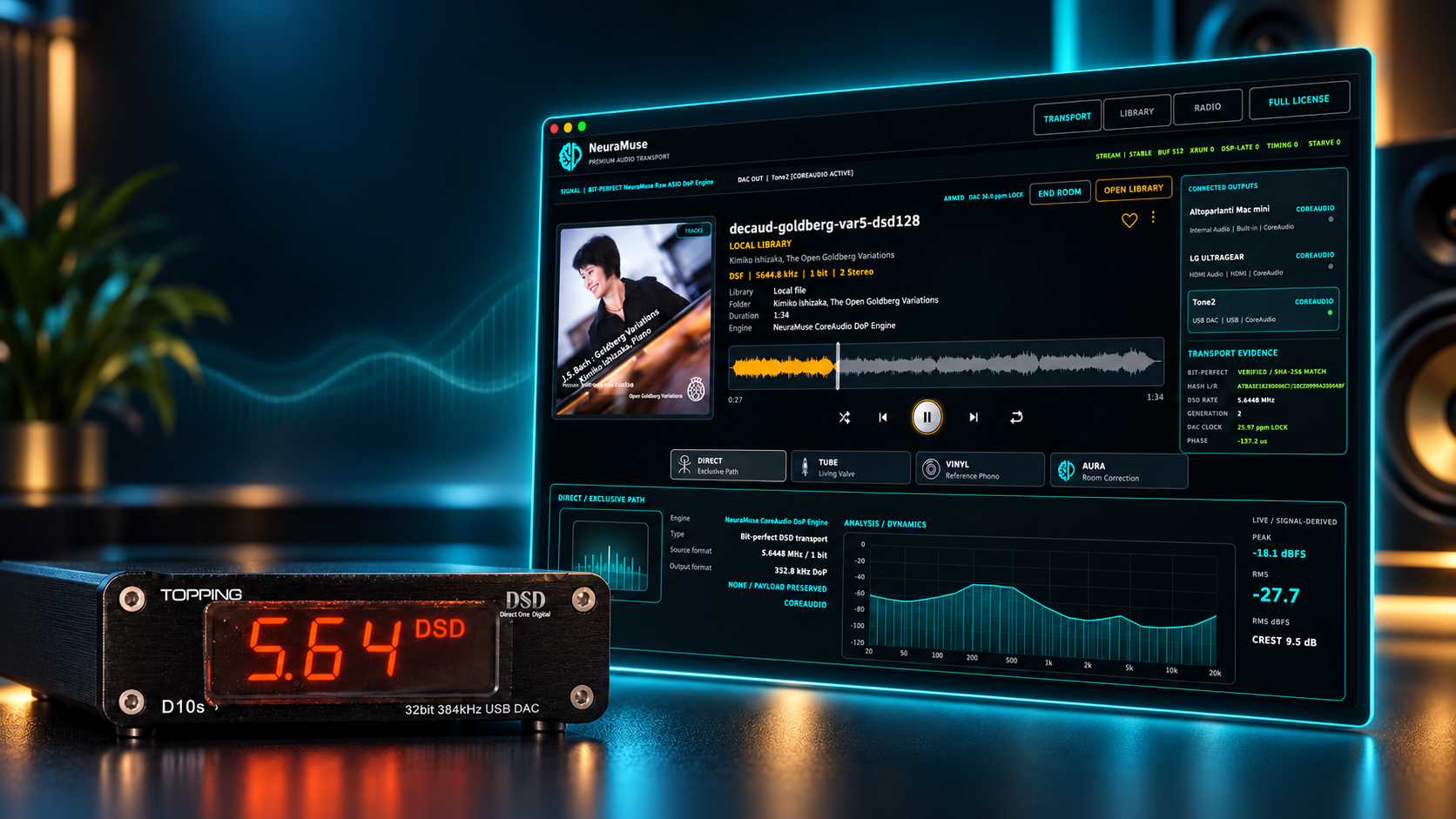
Built for the listening room
Your library. Your DAC. Your system.
NeuraMuse brings local music, radio, bit-perfect playback and selectable listening paths into one focused desktop experience.
NeuraMuse for iPad · Public Beta
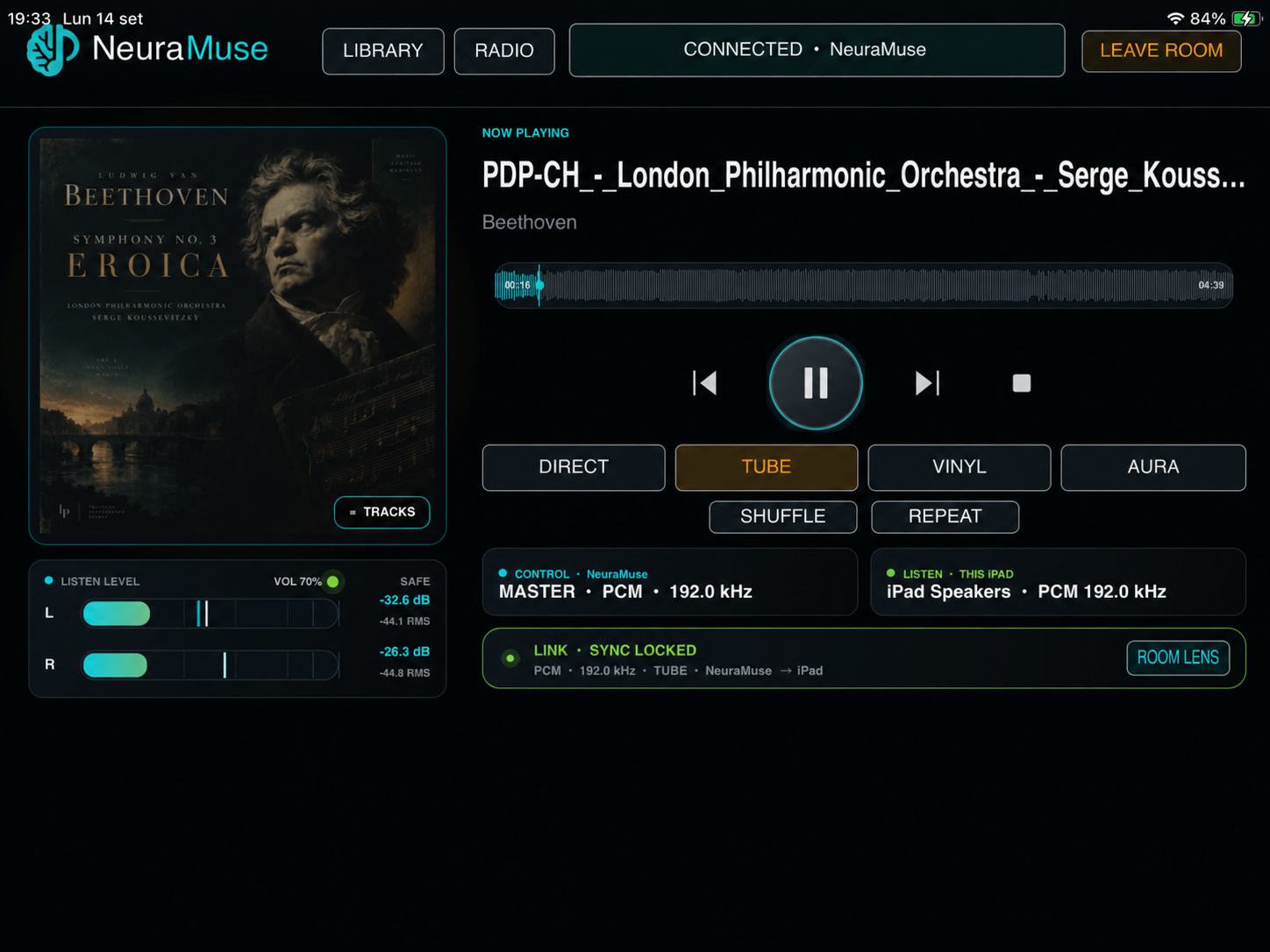
Touch the Master. Or join the room and listen.
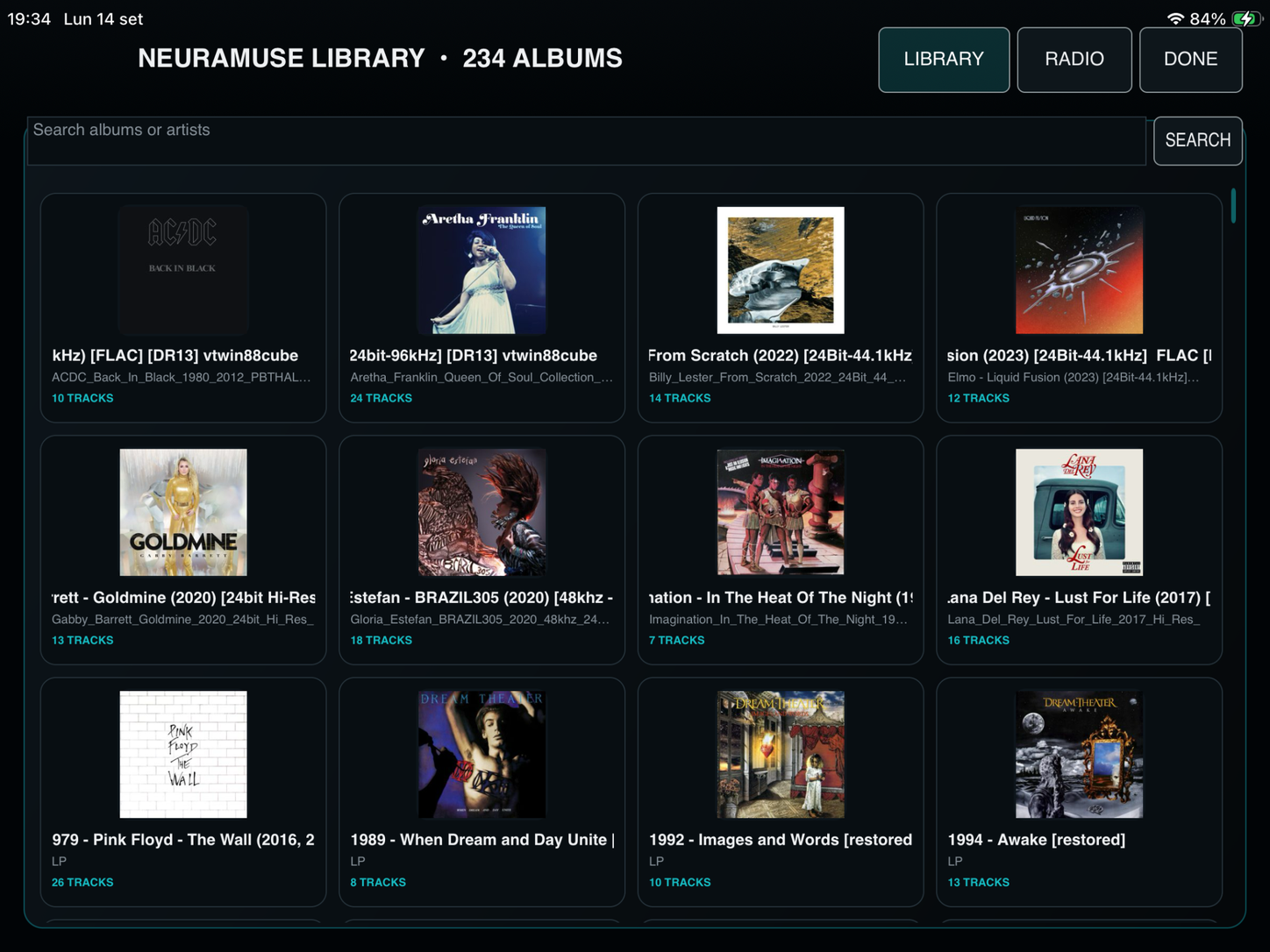
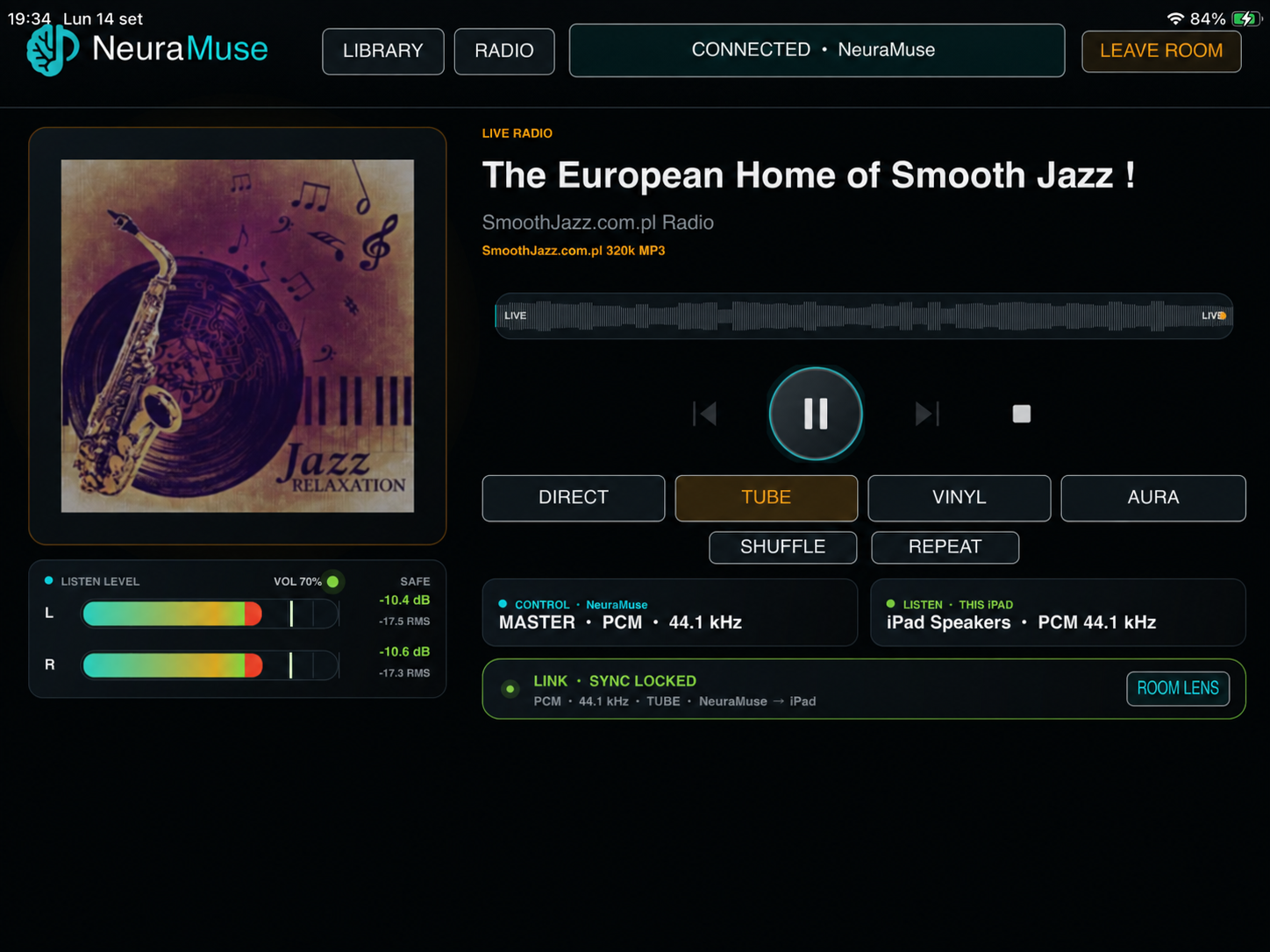
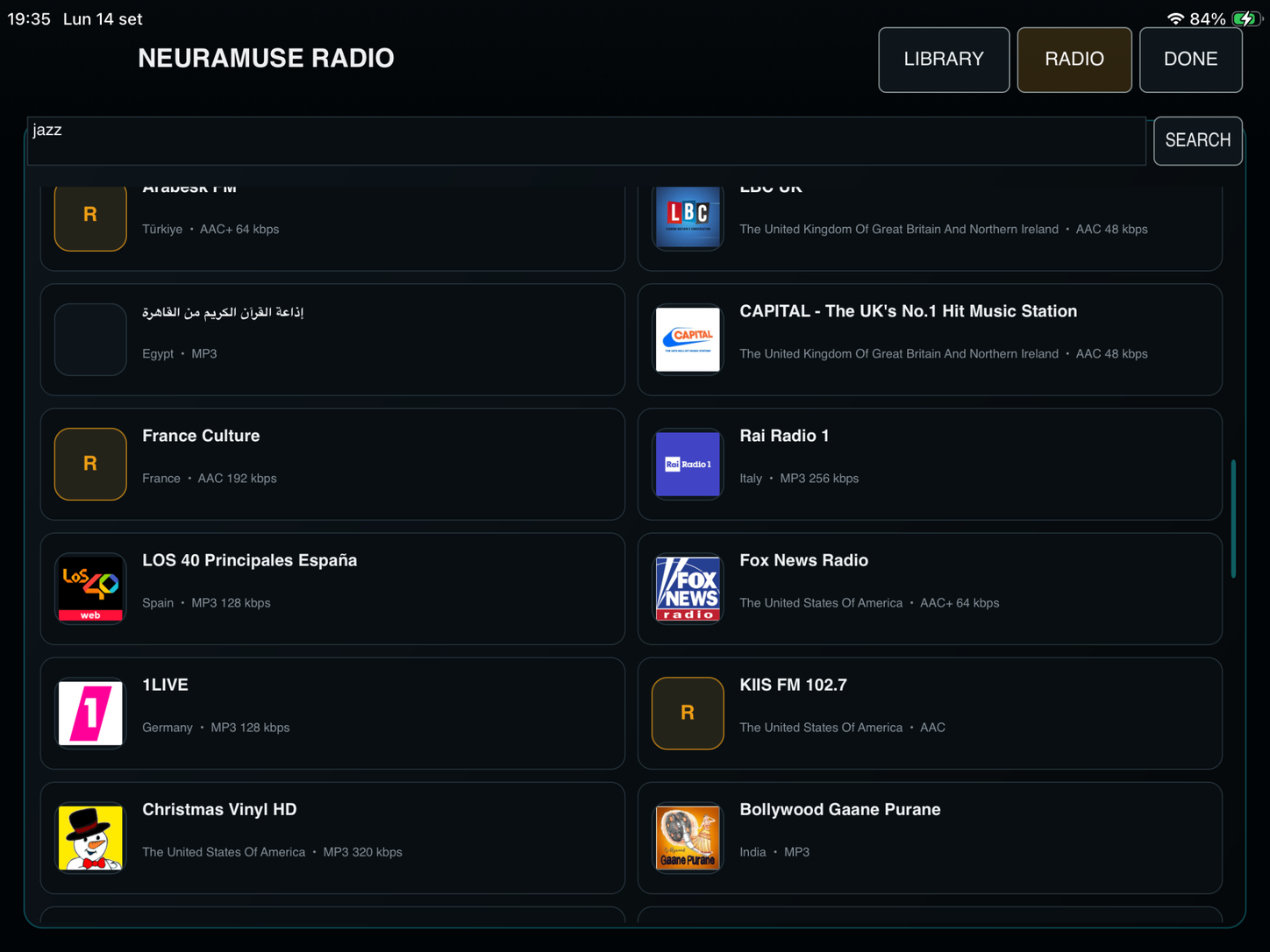
Control a NeuraMuse Master on Windows or Apple Silicon macOS, browse Library and Radio, switch listening modes, then use the iPad itself as a synchronized LINK endpoint.
LIBRARYRADIODIRECT · TUBE · VINYL · AURALINK ENDPOINT
Public beta through Apple TestFlight. No NeuraMuse account, e-mail registration or licence activation is required. TestFlight is free; install it from the App Store if needed, then accept the public invitation.
Technical evidence · when you want it
Go deeper into formats, verification and platform details.
Open any section below for detailed PCM/DSD evidence, bit-perfect verification and native audio-path information for Windows and macOS.
PCM / DSDFormat changes remain visible from transport to DAC.+
NeuraMuse shows the active playback format while the external DAC front panel provides a second, physical indication of the received signal.
96.0 PCMHigh-resolution PCM
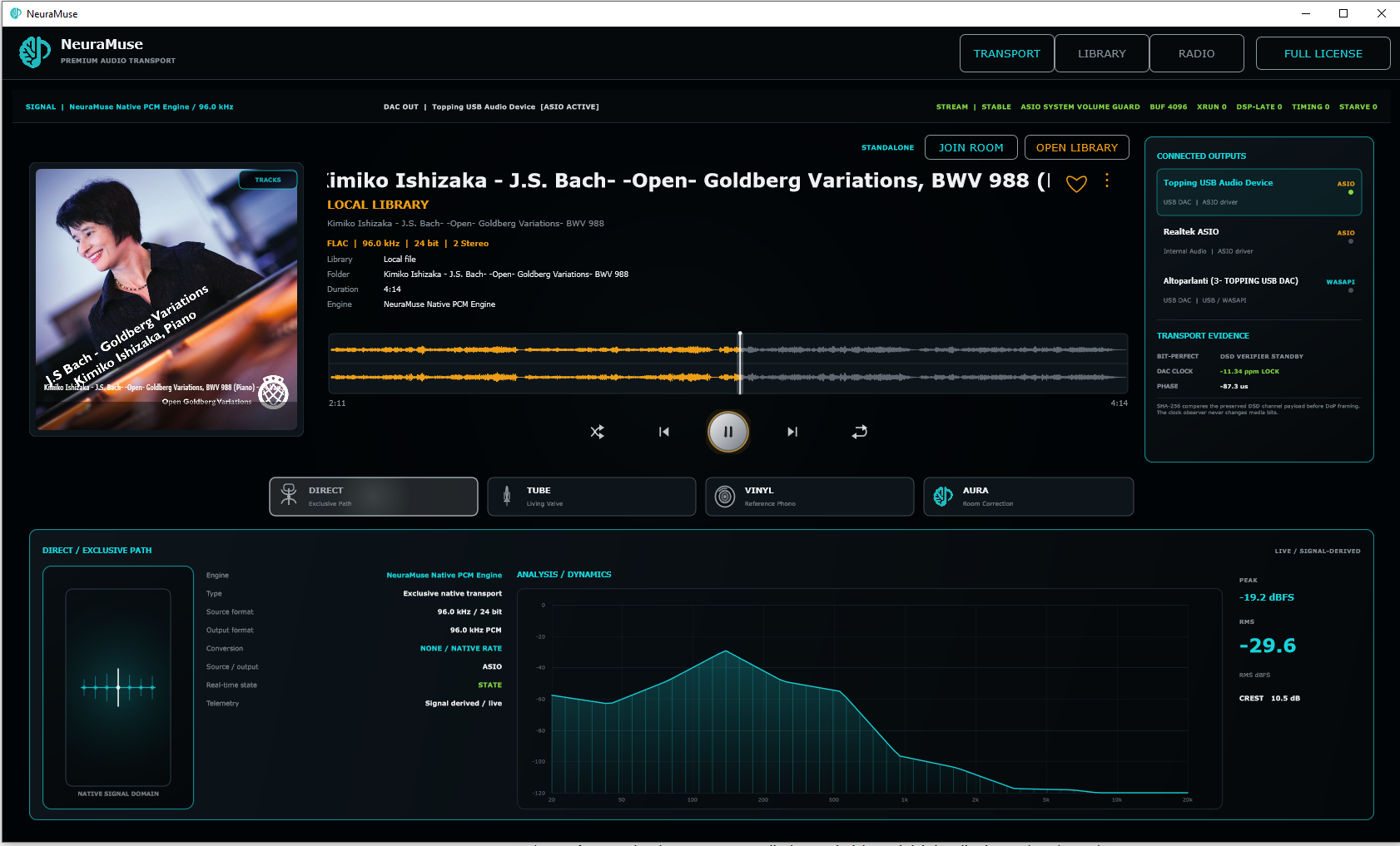
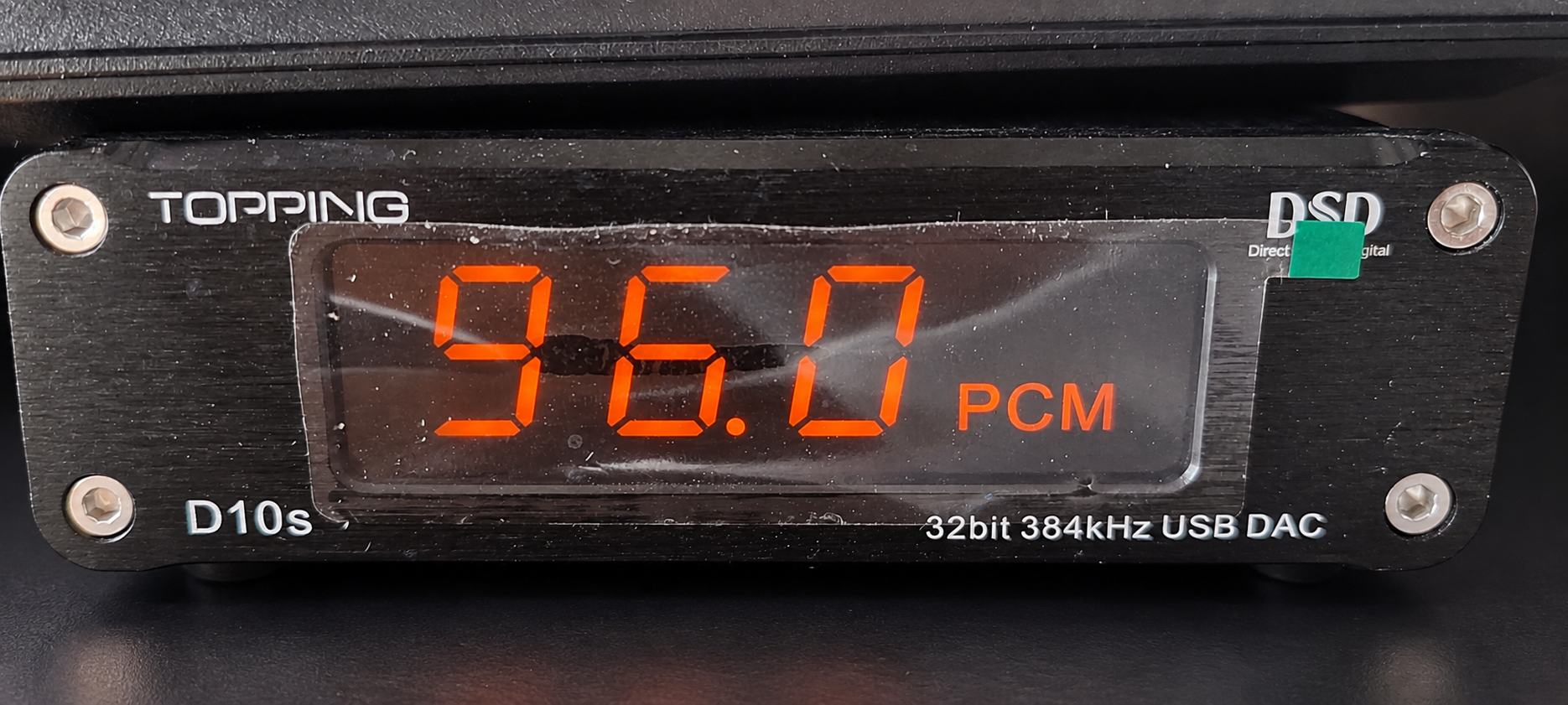
96.0 kHz PCM in NeuraMuse · 96.0 PCM at the DAC.
192 PCMHigh-resolution PCM
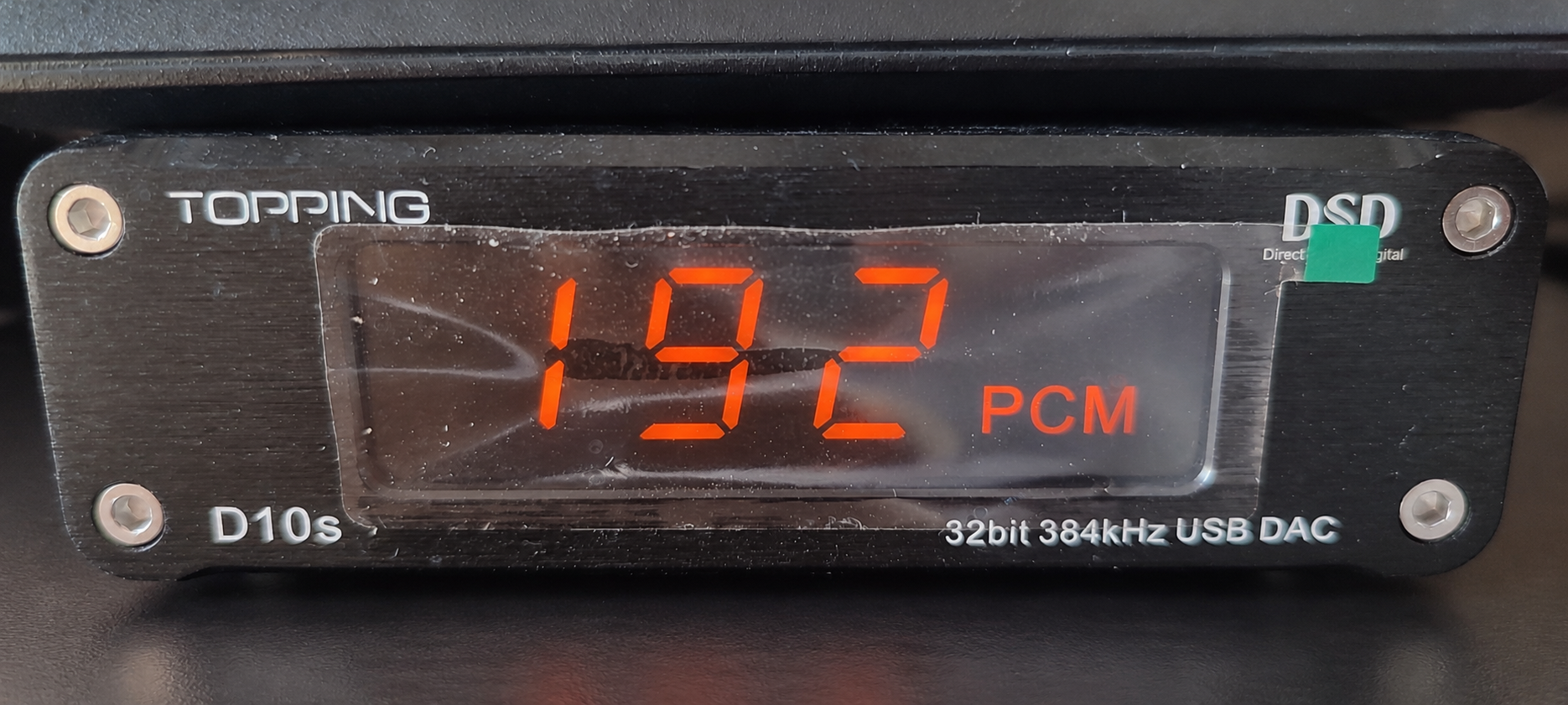
192.0 kHz PCM in NeuraMuse · 192 PCM at the DAC.
5.64 DSDVerified DSD128 / DoP
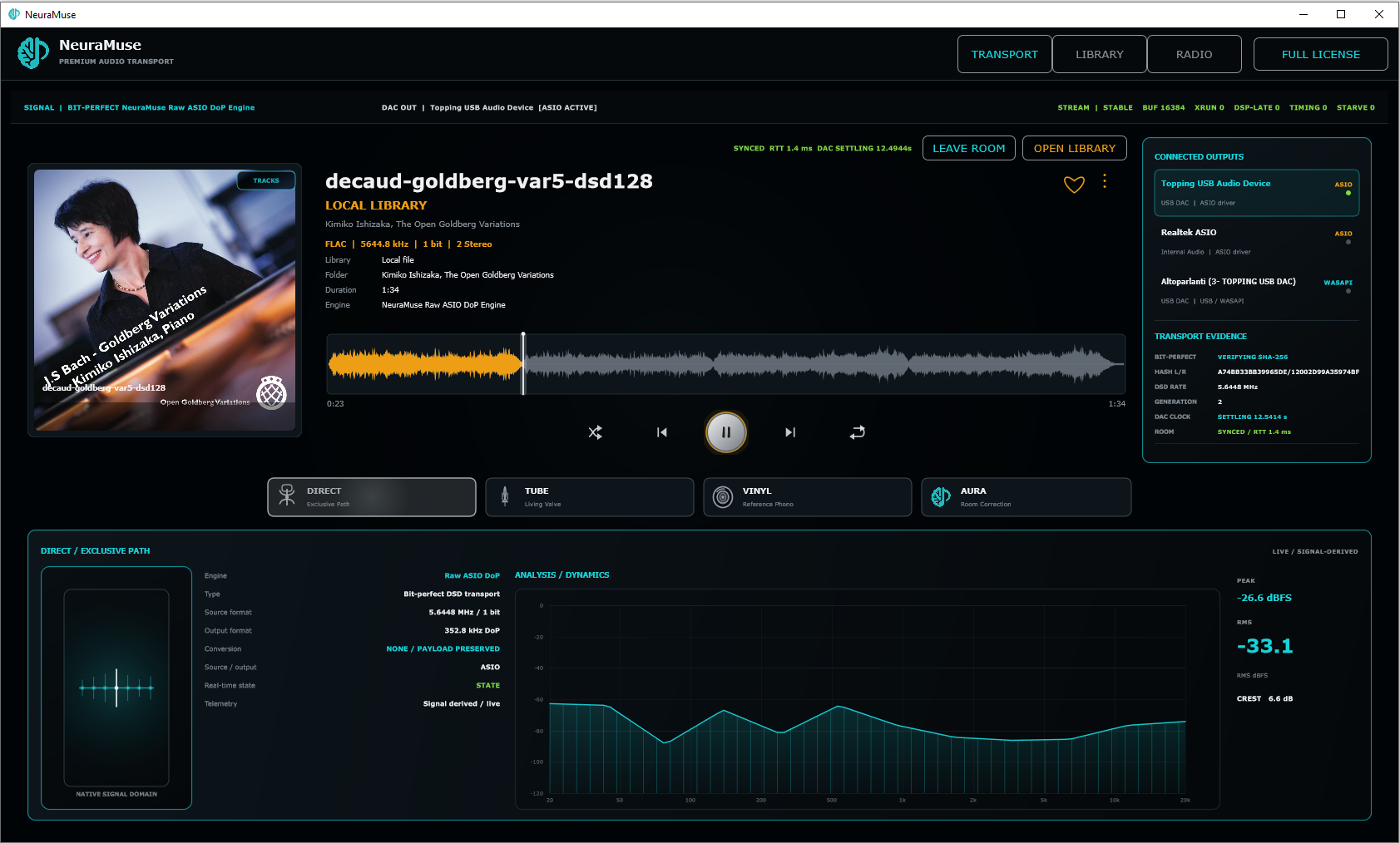
Verified DSD128 / 5.6448 MHz. Higher rates up to DSD512 depend on the DAC, driver and output path.
REAL HARDWARE SHOWN · 96 PCM · 192 PCM · DSD128
BIT-PERFECT VERIFICATIONWhat “SHA-256 MATCH” means in NeuraMuse.+
END-OF-TRACK RESULTVERIFIED · SHA-256 MATCH
5.6448 MHz DSD · payload preservedTransport Evidence shows the channel hash, DSD rate and final VERIFIED / SHA-256 MATCH result on the Master.
The joined Windows endpoint independently reports the same final VERIFIED / SHA-256 MATCH state while rendering through its local ASIO output.
Payload observed
NeuraMuse follows the preserved left/right channel payload while the track plays.
SHA-256 compared
At track completion, the final hashes are compared with the reference payload.
Match displayed
SHA-256 MATCH confirms bit-for-bit preservation through the reference transport on that system.
For DSD/DoP, verification is performed on the preserved DSD channel payload before DoP framing. Timing and clock telemetry are observed independently and do not modify the media bits.
TECHNOLOGYNative desktop audio on Windows and macOS.+
ASIO transport
Windows 10/11 x64 with a compatible native ASIO driver for the current Early Access audio path.
CoreAudio transport
Apple Silicon Macs use CoreAudio. Intel Macs are not supported by the current Early Access build.
WAV · FLAC · MP3 · DSF · DFF
PCM and DSD output follow the selected hardware. DSD128 is verified; higher rates up to DSD512 require support from the complete DAC, driver and output path.
End-of-track SHA-256 match
Supported DIRECT paths report the final payload hash result so bit-perfect preservation is verified, not merely labelled.
Windows / Apple Silicon Mac → Native audio path → DAC / output → Amplifier / active monitors
LINK: Windows or macOS can act as the Master, and the other platform can join as an endpoint while rendering through its own local audio device.
Early Access
Try NeuraMuse on your own system.
Start in DIRECT with your own DAC and music. Then decide whether TUBE, VINYL, AURA or LINK earns a place in your setup.
WIN
Windows 10 / 11 x64
DOWNLOAD FOR WINDOWS
NeuraMuseSetup.exe
Audio requirement: an ASIO-compatible audio device and working ASIO driver are required. A dedicated USB DAC with its manufacturer’s native ASIO driver is strongly recommended.
NeuraMuseSetup.exe · Windows Early Access
SHA-256: 8f505871eef307be39c1c6ab00bc7fcb93918a123891b101fed91ccb508548ac
MAC
macOS · Apple Silicon only
DOWNLOAD FOR macOS
NeuraMuse.dmg
Uses CoreAudio — no ASIO driver required. Apple Silicon only. A dedicated DAC is strongly recommended. Apple Developer ID signed and notarized.
NeuraMuse.dmg · Apple Silicon Early Access · Apple Signed & Notarized
SHA-256: c85ee01f706fdd8f838197a93d2b68402f8f87ae15ff56c1f63470b1ce20bca7
Need the full setup procedure?Installation notes, current release status, checksums and platform-specific guidance remain on the Early Access page.
OPEN INSTALL NOTESFAQ
Questions before you install.
The detailed pages remain available for DIRECT, TUBE, VINYL, AURA, LINK, iPad and setup.
What is NeuraMuse?
NeuraMuse is an audio transport platform for Windows and Apple Silicon macOS with DIRECT playback, TUBE and VINYL modelling, AURA room correction, Internet Radio and LINK multiroom. NeuraMuse for iPad is available as a public beta through Apple TestFlight for touch control and LINK listening.
Does NeuraMuse play PCM and DSD?
Yes. NeuraMuse supports PCM and DSD library playback. The available output format and maximum rate depend on the selected DAC and driver. DSD128 / 5.64 MHz is verified on real hardware; higher rates up to DSD512 are endpoint-dependent.
What is DIRECT?
DIRECT is the reference playback path. It is the baseline for format verification and comparison with the processed listening modes.
Why does bit-perfect DSD resume on the next track after TUBE, VINYL or AURA?
When a DSD track has entered a processed listening path, NeuraMuse keeps that track in the processed PCM domain. If DIRECT is selected during that track, the return to bit-perfect DSD is queued and takes effect at the next track boundary. This keeps the current track on one consistent transport path instead of switching digital domains part-way through playback.
How does NeuraMuse verify bit-perfect playback?
On supported DIRECT paths, NeuraMuse compares the preserved channel payload with SHA-256. At the end of the track, a VERIFIED / SHA-256 MATCH result confirms that the reference transport preserved the media payload bit-for-bit. For DSD/DoP, the comparison is made on the DSD channel payload before DoP framing.
Can Windows and macOS play in the same LINK room?
Yes. LINK roles are platform-independent: Windows can be the Master with macOS joined, or macOS can be the Master with Windows joined. Each system renders through its own local audio device.
Can a joined endpoint output DSD?
Yes, when the endpoint DAC and driver support the requested DSD path. The session above verifies DSD128 / 5.64 MHz on real hardware; higher rates up to DSD512 depend on the complete endpoint path.
What is required on Windows?
Windows 10 or 11 x64 and a compatible native ASIO driver for the intended Early Access audio path.
What is required on macOS?
An Apple Silicon M-series Mac. NeuraMuse uses CoreAudio; Intel Macs are not supported by the current Early Access build.
Is NeuraMuse available on iPad?
Yes. NeuraMuse for iPad is available as a public beta through Apple TestFlight. No NeuraMuse account, registration, e-mail or licence activation is required. Join the iPad beta.
Where are installation notes and SHA-256 checksums?
The Early Access page contains the platform-specific installation procedure, security notes and current SHA-256 checksums.
Listen on your system
Start with DIRECT. Everything else is your choice.
NeuraMuse Early Access is available for Windows and Apple Silicon macOS. The iPad public beta is available through TestFlight.